





Free
A solid start.
£0/ forever
- 5 topics
- AI summaries
- Flashcards
- Quizzes
- Basic study guidance
Built for better studying
Upload your notes and turn them into summaries, flashcards and quizzes, with personalised guidance on what to study next.
Key features
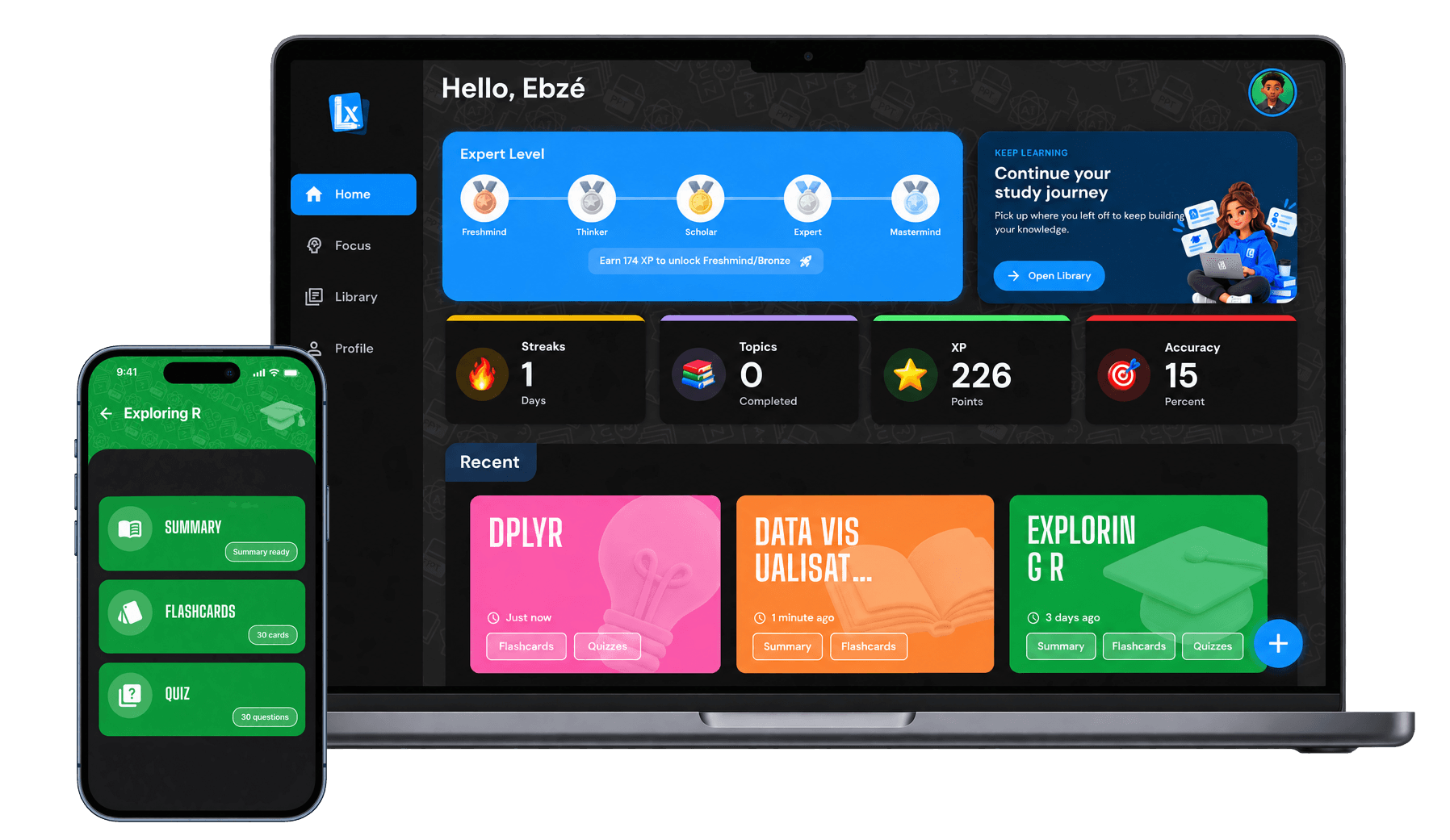
Turn your course material into powerful study tools in seconds, all in one place.
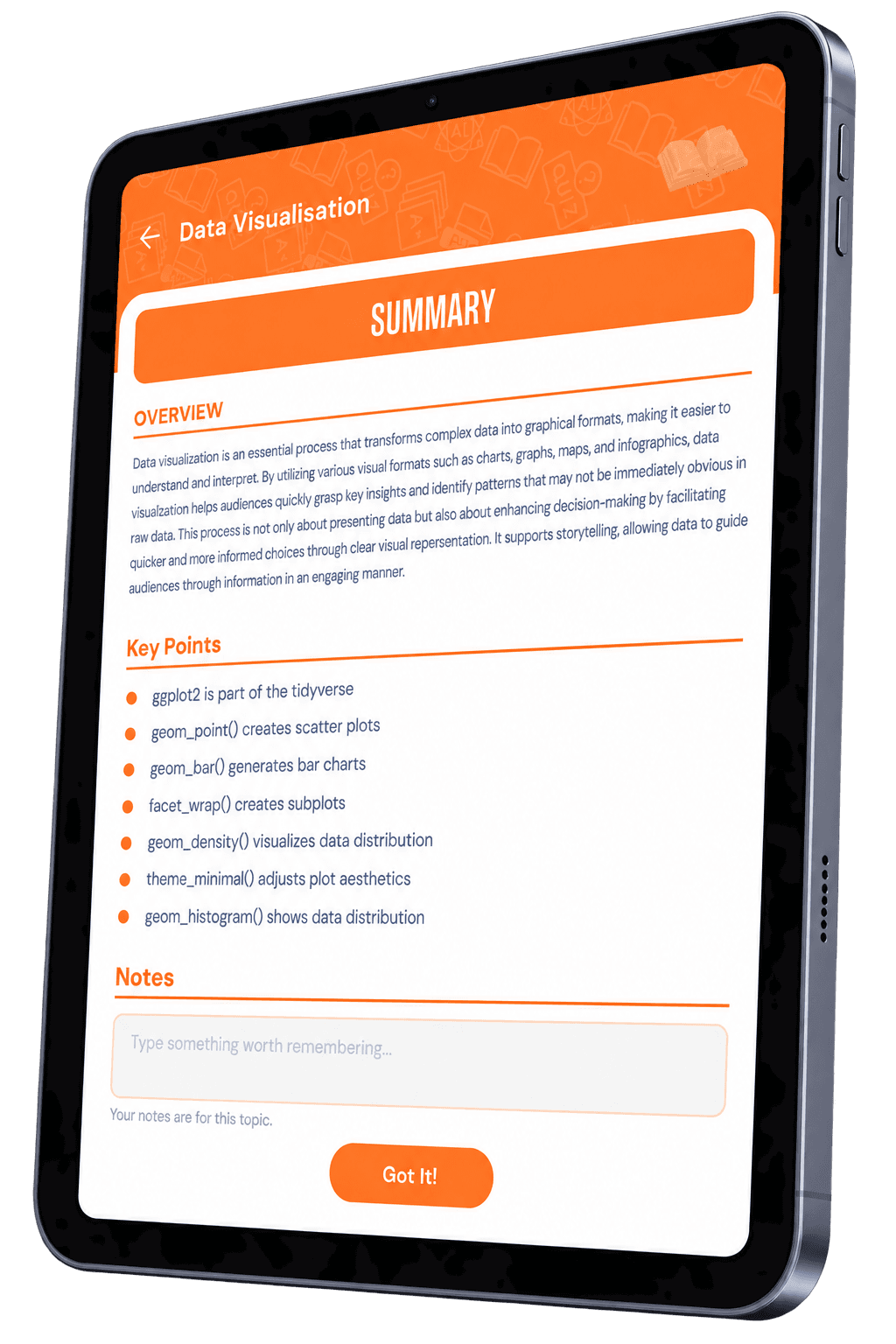
Get the key ideas from your material instantly.
Active recall to lock in your knowledge.
Test what you know and track your progress.
Understand what to focus on next.
How it works
Upload your material, let Learnoix do the work, then start studying in a way that actually sticks.

Add your notes, slides, PDFs or any study material.
Get clear summaries, flashcards and quizzes instantly.

Study, track your progress and get personalised recommendations.
Focus
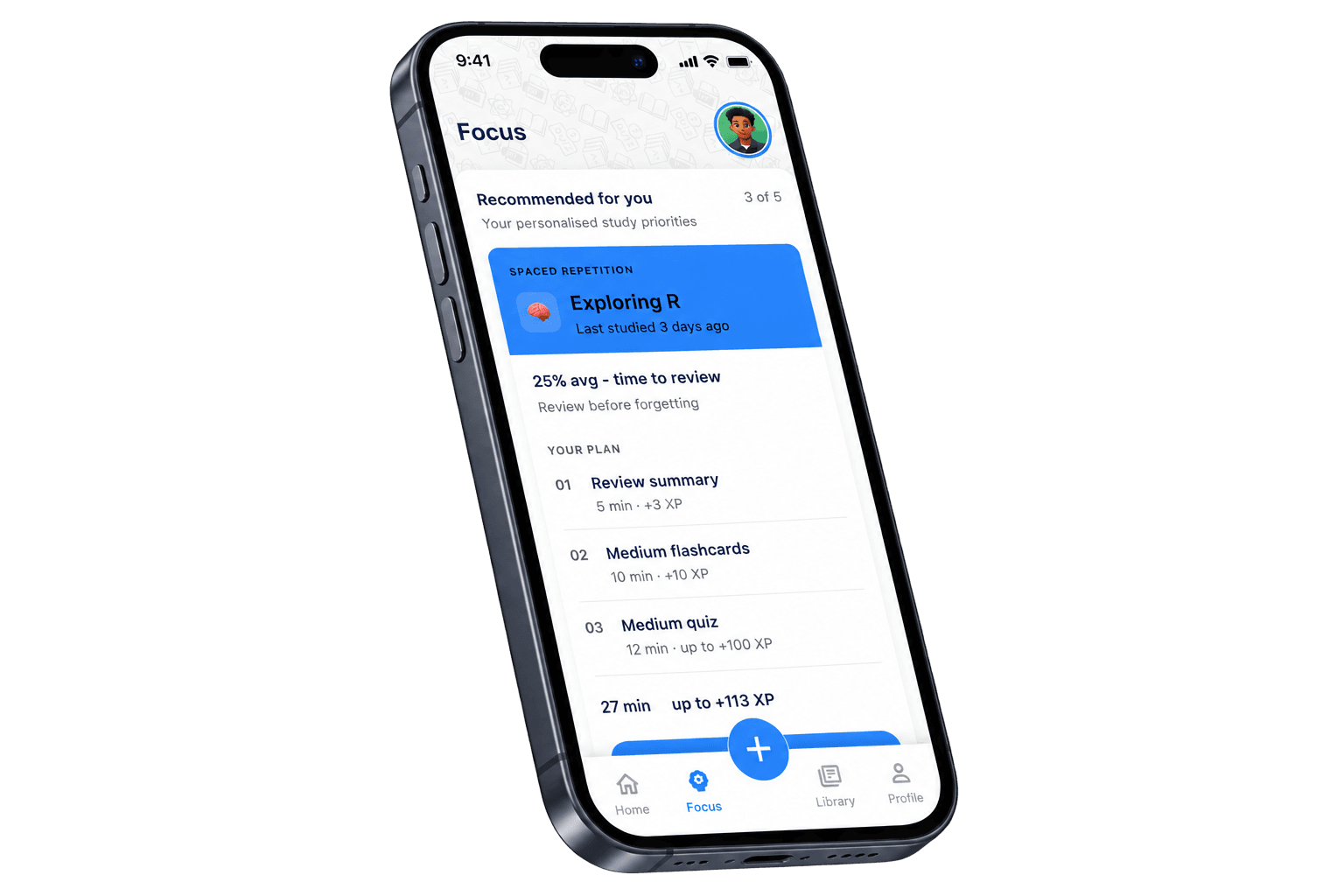
Learnoix analyses your progress, quiz performance and study activity to recommend the best topics to focus on next.


Review at the right time.

Every session, quiz and review counts.

Climb from Freshmind to Mastermind.

Focus on the topics you struggle with.

Stay consistent and motivated.


Trusted by learners
See how Learnoix is helping students study smarter, stay consistent and achieve their goals.

I used to spend hours making flashcards manually before exams. With Learnoix I uploaded my lecture notes and had everything ready in under a minute. Genuinely changed how I revise.

Testimonial 1 of 6: Amara T., Psychology student. I used to spend hours making flashcards manually before exams. With Learnoix I uploaded my lecture notes and had everything ready in under a minute. Genuinely changed how I revise.
Pricing
Everything you need to get started is free. Upgrade to Pro to remove limits and keep learning without boundaries.

A solid start.
£0/ forever
Most popular

More topics. More progress.
£4.99/ monthBilled monthly

FAQs
Everything you need to know about Learnoix. Can’t find what you’re looking for? Get in touch. For step-by-step guidance, visit our Help & Support page.
Learnoix is a study app that turns your own notes into summaries, flashcards and quizzes. It then tracks how you're doing and recommends what to study next, so you spend your time on the topics that need it most.
Anyone studying from their own material: university and college students, sixth formers revising for exams, or professionals working towards a qualification. If you have notes, slides or readings to learn from, Learnoix can help.
Learnoix is available on iPhone, Android, Mac and Windows. Your topics and progress sync across your devices, so you can make flashcards on your laptop and revise them on your phone.
Yes. Create an account using your email address or Google. Verify your email before signing in, then complete the short onboarding to personalise your experience.
Download Learnoix, create and verify your account, then tap the + button to open the Generate panel. Upload your document, name your topic and choose Summary, Flashcards, Quiz, or all three. Generation usually takes 10–20 seconds.
Learnoix supports PDF, DOCX, PPTX, and TXT files. Images, spreadsheets, and ZIP files are not currently supported. If your document is in a different format, try converting it to PDF before uploading.
Keep your file under 20MB and make sure it is not password-protected or corrupted. Breaking very large documents into focused sections can help you create more focused study materials.
Everything is generated from your own material, so it stays grounded in what you're actually being taught. AI can still make mistakes, so it's worth double-checking key facts against your notes, especially before an exam.
Learnoix works best with text-based material, which covers most subjects. For material that relies heavily on diagrams, equations or images, check the generated content carefully.
It looks at your progress, quiz performance and study activity to spot the topics you're finding hardest, then recommends those first so your revision time goes where it matters.
It's a proven way to remember more. Instead of cramming, you review material at increasing intervals, just before you'd naturally forget it. Learnoix schedules those reviews for you.
You earn XP for studying, from reviewing flashcards to completing quizzes. XP moves you up through the levels, from Freshmind to Mastermind. Your streak counts the days in a row you've studied, which helps you build a steady habit.
Yes. The Free plan includes up to 5 topics. You can delete topics to free up slots, though your lifetime generation count is tracked to ensure fair use. Upgrade to Pro for unlimited topics and generations.
Learnoix Pro gives you unlimited topic generations, unlimited study materials, and access to all difficulty levels with no usage caps. Pro costs £4.99/month or £39.99/year (saving 33%).
Yes. Cancel through Apple Subscriptions on iOS or Google Play Subscriptions on Android. For web subscriptions, contact support@learnoix.com. Cancelling stops future renewals, and you keep Pro access until the end of your current billing period.
Your topics and progress aren't deleted. You'll be able to keep studying within the Free plan's limits, and everything is there again if you upgrade later.
Your uploads are used to create your study tools and aren't shared with other users. To generate summaries, flashcards and quizzes, your material is processed securely by our AI provider.
No. Your material is used to create your study tools, not to train AI models.
Yes. Go to Profile → Delete Account and confirm your identity using your password or Google re-authentication. Your account and all associated data are permanently and immediately deleted. This action cannot be undone.
Email us at support@learnoix.com and we'll get back to you as soon as we can.
Ready to study smarter?
Join thousands of students already learning smarter with Learnoix. Available on iOS, Android, macOS and Windows.